

 zefick12
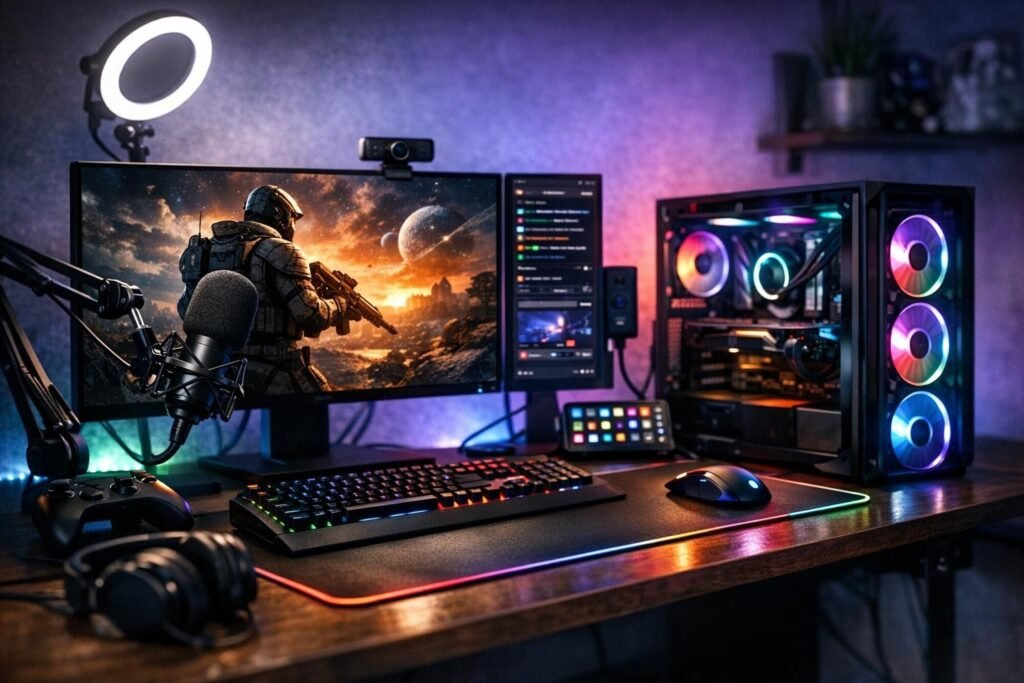
Starting your streaming journey doesn’t require a massive investment or professional-grade equipment. With the right approach and a minimal streaming setup, you can begin broadcasting your gaming sessions today. Whether you’re playing on PC, console, or even mobile devices, this comprehensive guide will walk you through everything needed to launch your first stream without breaking the bank.
The streaming landscape has evolved tremendously, making it easier than ever for newcomers to enter the space. Platforms like Twitch and YouTube have simplified their interfaces, and affordable equipment options mean you can start with as little as $200-$300 in additional gear if you already own a gaming device.
Essential Equipment for Your Budget Streaming Setup
Building your initial streaming configuration doesn’t mean you need to purchase every piece of equipment professional streamers use. Focus on the core essentials that will deliver quality content without overwhelming your wallet.
Your Gaming Device: PC, Console, or Laptop
The foundation of your streaming setup is the device you’re already gaming on. For PC gamers, a system with at least an Intel i5 or AMD Ryzen 5 processor paired with 8GB of RAM will handle most streaming scenarios. If you’re gaming on a PlayStation 5, Xbox Series X, or even previous generation consoles, you’re already equipped to start broadcasting immediately using built-in streaming features.
Modern consoles include native streaming capabilities that connect directly to major platforms, eliminating the need for additional capture equipment initially. This represents the most budget-friendly entry point for aspiring streamers.
Microphone: Your Voice Matters Most
Audio quality often matters more than video quality when streaming games. Viewers will tolerate lower resolution visuals, but poor audio drives audiences away faster than anything else. Start with one of these affordable options:
- USB microphones like the FIFINE K669B or similar models ranging from $30-$50
- Gaming headsets with decent built-in microphones you may already own
- Lapel microphones that clip onto your shirt for hands-free operation
- Budget condenser mics that offer surprisingly good quality for the price point
Position your microphone correctly to avoid picking up keyboard clicks or mouse sounds. Test different positions during practice sessions to find the sweet spot that captures your voice clearly without excess background noise.
Webcam: Adding Your Personality
While streaming without a camera is possible, showing your face creates stronger connections with viewers. Your facial expressions and reactions add entertainment value that pure gameplay alone cannot provide. Budget options include:
- Entry-level webcams like the Logitech C270 ($25-$40)
- Your smartphone converted into a webcam using free applications
- Older laptops positioned as dedicated camera devices
- Basic 720p cameras that provide adequate quality for beginners
Internet Connection Requirements
Streaming demands reliable upload speeds more than download speeds. Test your connection and ensure you have at least 5 Mbps upload capability for 720p streaming. For 1080p broadcasts, aim for 10 Mbps or higher. Wired ethernet connections significantly outperform WiFi for stability, reducing dropped frames and connection interruptions that frustrate viewers.
Lighting: Simple But Effective
Proper lighting transforms your stream’s visual appeal dramatically. A basic ring light positioned in front of you eliminates shadows and provides even illumination. Budget options start around $20-$30 and make you look significantly more professional. Natural window lighting works too if positioned correctly, though it varies throughout the day.
Streaming Software: Your Broadcasting Hub
Software selection represents one of the most important decisions for new streamers. Fortunately, the best options are completely free and packed with features that rival paid alternatives.
OBS Studio: The Industry Standard
Open Broadcaster Software has become the go-to choice for streamers at every level. This free, open-source application offers professional-grade features including:
- Multiple scene creation for different stream layouts
- Audio mixing with individual source controls
- Direct integration with all major streaming platforms
- Plugin support for extended functionality
- Custom overlay and graphics integration
- Recording capabilities for creating highlight content
The learning curve exists but countless tutorials guide you through initial setup. Spend an afternoon experimenting with scenes, sources, and settings before going live. This preparation prevents technical difficulties during your debut broadcast.
Streamlabs OBS: Beginner-Friendly Alternative
Streamlabs OBS provides a more user-friendly interface with built-in themes and alert systems. While slightly more resource-intensive than standard OBS, it streamlines the setup process for absolute beginners. The integrated chat display and notification systems reduce the need for additional software.
Recommended Starting Settings
Configure your streaming software with these baseline settings for optimal performance on minimal hardware:
| Setting | Recommended Value |
| Resolution | 1280×720 (720p) |
| Frame Rate | 30 or 60 fps |
| Bitrate | 3000-4500 kbps |
| Encoder | x264 or hardware (NVENC/AMD) |
| Audio Bitrate | 128-160 kbps |
Adjust these values based on your hardware capabilities and internet connection. Lower settings ensure smooth streaming on budget setups while maintaining acceptable quality.
Choosing Your Streaming Platform
Platform selection impacts your growth potential and audience demographics. Each service offers unique advantages for different streaming styles and goals.
Twitch: The Gaming Streaming Giant
Twitch dominates the gaming streaming space with the largest built-in audience actively searching for new content creators. The platform’s discovery features help small streamers find viewers, though competition remains fierce. Twitch excels for:
- Live interaction with gaming-focused audiences
- Community building through subscriptions and bits
- Category browsing that helps viewers discover new streamers
- Integration with gaming culture and events
YouTube Gaming: Long-Term Content Strategy
YouTube’s streaming service benefits from integration with the world’s largest video platform. Streams automatically archive as videos, extending your content’s lifespan. YouTube works particularly well if you plan to create supplementary edited content alongside live streams, building a channel that generates views continuously rather than only during live broadcasts.
Facebook Gaming and Other Alternatives
Smaller platforms like Facebook Gaming offer less competition and sometimes provide signing bonuses or support for growing creators. Consider these alternatives if you struggle to gain traction on larger platforms or if your existing social media presence aligns with these services.
Launching Your First Stream: Step-by-Step Process
Preparation separates successful first streams from technical disasters. Follow this systematic approach to ensure a smooth debut broadcast.
Pre-Stream Preparation
Complete these tasks before announcing your stream schedule:
- Create your streaming platform account and customize your channel page
- Install and configure your chosen streaming software
- Design or download basic overlays and alerts
- Test your stream privately to verify everything works correctly
- Prepare a basic layout with gameplay, camera, and chat visible
- Update your graphics drivers and close unnecessary background applications
Going Live: Your First Broadcast
When you’re ready to broadcast, keep your first stream simple. Focus on gameplay and natural commentary rather than worrying about advanced features. Start with these basics:
Talk continuously even when viewer count shows zero. Practice your commentary skills and create content worth discovering. Early recordings become valuable references for improvement.
Plan to stream for at least one to two hours. Shorter broadcasts limit discovery opportunities, while excessively long initial streams may lead to burnout. Find your comfortable duration through experimentation.
Engaging With Your Audience
Viewer interaction separates streaming from simply recording gameplay. Monitor your chat actively and respond to every message during your early streams. This responsiveness encourages viewers to return and participate in building your community.
Chat Interaction Tips
- Read usernames aloud when greeting new viewers
- Answer questions thoroughly and enthusiastically
- Ask your audience questions to encourage participation
- Thank viewers for follows, subscriptions, and donations
- Maintain positivity even with low viewer counts
Building Your Stream Beyond the Basics
Once comfortable with fundamental streaming, consider these upgrades and improvements to enhance production quality and viewer experience.
Audio Improvements
Upgrading your microphone provides the most noticeable quality improvement. Mid-range options like the Audio-Technica AT2020 or Blue Yeti deliver professional sound quality without extreme costs. Add a boom arm and pop filter to further enhance audio clarity and reduce unwanted sounds.
Visual Enhancements
Custom graphics give your stream a polished, professional appearance. Commission affordable designs from freelance artists or use templates from sites offering streaming graphics packages. Consistent branding across your overlays, alerts, and social media builds recognition.
Stream Deck and Control Surfaces
Physical control devices like the Elgato Stream Deck simplify stream management, allowing instant scene switches, audio adjustments, and alert triggers. While not essential initially, these tools become increasingly valuable as your production complexity grows.
Dual Monitor Setup
Adding a second display dramatically improves your streaming experience. Dedicate one monitor to gameplay while using the second for chat monitoring, streaming software controls, and browser-based tools. This separation prevents constant alt-tabbing that disrupts gameplay and viewer experience.
Growing Your Streaming Channel
Technical setup matters, but growth requires strategic content creation and community engagement beyond simply broadcasting gameplay.
Consistency Builds Audiences
Establish a regular streaming schedule and stick to it religiously. Viewers return to channels offering predictable content availability. Stream at least three times weekly, preferably at consistent times, to build viewing habits among your audience.
Create Highlight Content
Extract entertaining moments from your streams and share them across social media platforms. Short clips perform exceptionally well on TikTok, Instagram Reels, and YouTube Shorts, driving traffic back to your live streams. This content multiplication strategy extends your reach far beyond live broadcast hours.
Network With Other Streamers
Collaborate with creators at similar growth stages through raids, co-streams, or gaming sessions. These partnerships introduce your content to new audiences while building relationships within the streaming community. Avoid expecting partnerships with significantly larger creators initially.
Game Selection Strategy
Balance popular games with niche titles to maximize discoverability. Streaming oversaturated games like Fortnite or League of Legends buries your channel beneath thousands of competitors. Consider games with moderate viewership and lower streamer counts where you can rank higher in directory listings.
Find your unique angle or personality trait that differentiates your stream. Whether through exceptional skill, entertaining commentary, educational content, or unique perspectives, give viewers reasons to choose your stream over countless alternatives.
Common Beginner Mistakes to Avoid
Learning from others’ mistakes accelerates your streaming journey. Watch for these common pitfalls that derail many aspiring streamers.
Overthinking Your Setup
Waiting for perfect equipment prevents many potential streamers from ever starting. Your first streams won’t be perfect regardless of gear quality. Begin with available resources and upgrade gradually as you confirm your commitment to streaming.
Ignoring Audio Quality
Prioritize audio over visual quality always. Invest in a decent microphone before upgrading cameras or lighting. Clear, pleasant audio keeps viewers engaged while poor audio drives them away immediately regardless of visual quality.
Streaming to Silence
Maintain constant commentary even when streaming to zero viewers. Silence kills channels faster than anything else. Practice narrating your gameplay, explaining decisions, and speaking naturally as if addressing an audience because eventually, viewers will arrive and judge your content based on those moments.
Neglecting Social Media Presence
Building a following requires presence beyond streaming platforms. Share updates, behind-the-scenes content, and personality across Twitter, Instagram, TikTok, and Discord. These touchpoints keep your community engaged between streams and attract new viewers through content discovery.
Monetization Basics for New Streamers
While initial focus should remain on content quality and growth, understanding monetization possibilities helps set realistic expectations.
Platform Partnership Requirements
Twitch Affiliate status requires 50 followers, 500 total broadcast minutes, seven unique broadcast days, and an average of three concurrent viewers over 30 days. YouTube Partner Program needs 1,000 subscribers and 4,000 watch hours. These milestones typically take several months of consistent streaming to achieve.
Alternative Revenue Sources
Before reaching partnership, consider these supplementary income options:
- Donation links through PayPal or similar services
- Affiliate marketing for gaming peripherals and equipment
- Sponsored streams with gaming-related products
- Merchandise sales for channels with engaged communities
Approach monetization carefully to avoid alienating your growing audience. Balance revenue generation with viewer experience and authentic content creation.
Technical Troubleshooting Tips
Technical issues inevitably arise during streaming. Prepare solutions for common problems to minimize broadcast interruptions.
Dropped Frames and Lag
Network instability causes dropped frames. Switch to wired ethernet connections, reduce bitrate settings, close bandwidth-consuming applications, and ensure no other household members are streaming video during your broadcasts. Monitor your streaming software’s statistics to identify whether encoding or network issues cause problems.
Audio Synchronization Issues
Audio delay appears commonly with certain microphones and cameras. Add negative audio delay in your streaming software to sync voices with video properly. Test different values until synchronization appears natural.
High CPU Usage
Streaming taxes system resources significantly. Lower in-game graphics settings, reduce streaming resolution or frame rate, switch to hardware encoding if your graphics card supports it, and close unnecessary background applications before broadcasting.
Can I start streaming without a webcam?
Yes, many successful streamers broadcast without cameras, focusing purely on gameplay and commentary. However, webcams typically increase viewer engagement and help build stronger connections with your audience. Consider starting with a camera if possible, but don’t let its absence prevent you from beginning your streaming journey.
What internet speed do I need for streaming?
Minimum upload speeds of 5 Mbps support 720p streaming at 30 fps. For 1080p at 60 fps, aim for 10-15 Mbps upload capability. Download speeds matter less for streaming than upload speeds. Test your connection at different times since speeds fluctuate based on network congestion in your area.
Should I stream on PC or console?
Both options work excellently for beginners. Consoles offer simpler setup with built-in streaming features, while PC provides more customization options and professional capabilities. Start with whatever gaming device you currently own rather than purchasing new equipment specifically for streaming.
How long should my first streams last?
Aim for one to two hours initially. Shorter streams limit discoverability while excessively long broadcasts may cause burnout. As you build stamina and audience, gradually extend stream duration. Many successful streamers broadcast four to six hours regularly, but work up to this gradually rather than attempting marathon sessions immediately.
Do I need a dual PC setup for streaming?
Dual PC configurations are unnecessary for beginners and even most intermediate streamers. Modern single systems handle gaming and streaming simultaneously effectively, especially when using hardware encoding. Consider dual PC setups only after establishing your channel and identifying specific performance limitations with your current configuration.
When will I start earning money from streaming?
Most streamers require several months of consistent broadcasting before reaching partnership requirements and generating meaningful income. Focus on content quality and community building initially rather than monetization. Treat early streaming as a hobby and skill-building period rather than expecting immediate financial returns.
What games should I stream as a beginner?
Balance between games you genuinely enjoy and titles with reasonable viewership but lower streamer saturation. Research games with active communities but avoid the most oversaturated categories where your channel disappears among thousands of competitors. Consider variety streaming across multiple games rather than limiting yourself to single titles.
Comments (0)
Sign In / Sign Up
Sign in with your Google account to leave a comment. It's fast, easy, and secure.
No comments yet
Be the first one to share your thoughts!